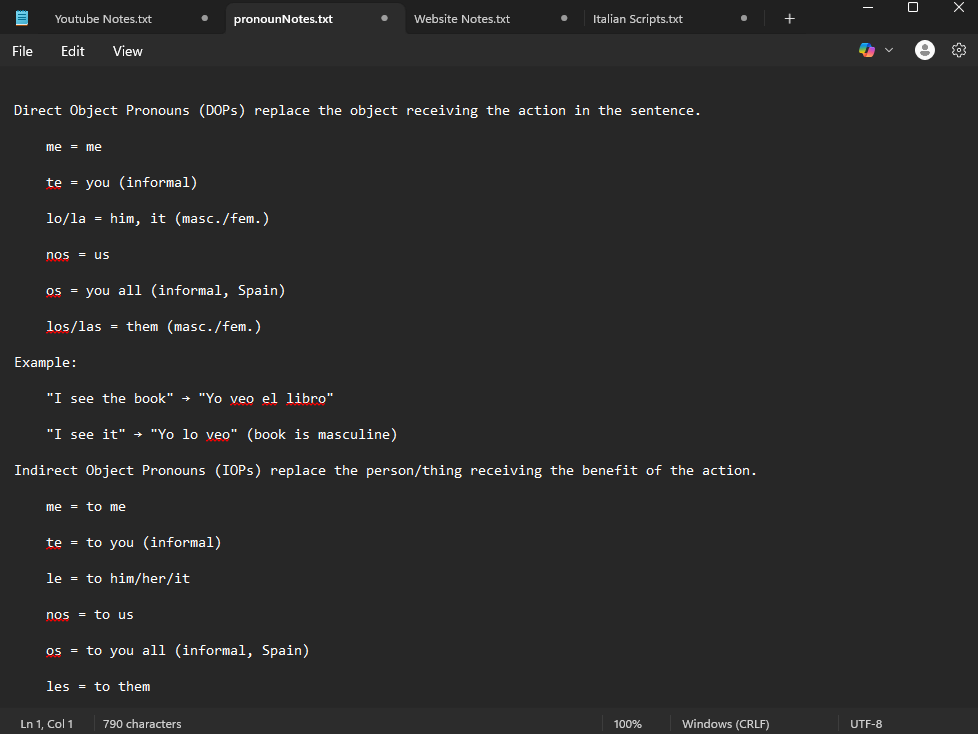
A text editor for your personal computer can be very helpful for keeping track of notes, editing code, and much more. It is important to understand that text editors are much easier to use than integrated development environments. They are easy to download and launch and take up less space on a hard drive than an IDE. Many operating systems already come with a notepad application, which includes Notepad for Windows operating systems and TextEdit for Mac OS.
One thing to understand is that if you are looking to get into computer programming, you should start with a text editor and then learn how to use an integrated development environment for more advanced development. IDEs are great tools that help fix your code and give you recommendations. Text editors support highlighted text for programmers, and they should be used for beginners or for minor programming edits. Consider downloading a free enhanced text editor.
There are also other great alternatives to text editors, like taking notes in Google Docs or with Microsoft Word. Microsoft Office 365 is a SaaS solution that every business uses. If you go to college, they should provide you with a free version of it to use to complete assignments like presentations and writing technical documents. There are also free versions to use with a Microsoft account. Google Docs is another great tool that can be used for note taking. Google has great tools just like Office 365.
Enhanced text editors are still used today, but they have minimal uses. These include writing .txt files, minor code edits, and editing config files. For computer programming, consider learning how to use Intellij, NetBeans, or Visual Studio. For writing documents, Google Docs and Microsoft Word are examples of the best solutions. However, if you really think that an enhanced text editor is important for your computer, there are still several options.
Notepad++
Download Notepad++
Notepad++ is a simple and lightweight editor that’s great for basic coding, scripting, and general text editing. It supports syntax highlighting for many languages, and it’s open source and free. It’s easy to use and perfect for someone just getting into code editing.
Visual Studio Code
Download Visual Studio Code
Visual Studio Code is a text editor (and also considered an IDE) that has a lot of customization options and features that are free. It can be overwhelming for someone who has never used something like an IDE before, so this is more geared towards more experienced users. It has features like an artificial intelligence helper to fix certain problems with your code. Specifically, GitHub Copilot is an AI tool that can make suggestions and edit your code for you. It also has built-in terminal support, Git integration, and a huge extension marketplace.
Sublime Text
Download Sublime Text
Sublime Text is a sleek and powerful text editor that has a distraction-free mode, fast performance, and support for dozens of programming languages. It is technically free to use with occasional reminders to buy a license. It’s lightweight, loads quickly, and has a huge number of plugins you can install for customization.
Kate Text Editor
Download Kate
Kate is an advanced text editor that’s part of the KDE desktop environment but works on Windows, Mac, and Linux. It offers features like split-view editing, syntax highlighting, session management, and powerful find-and-replace tools. Kate is free and open source.
Brackets
Download Brackets
Brackets is a modern text editor specifically designed for web development. It has live preview features, preprocessor support, and visual tools that make front-end work easier. It’s especially good if you’re working with HTML, CSS, and JavaScript. Brackets is open source and completely free.
Conclusion
Text editors are still very relevant in 2025, especially for people learning to code or those who need a lightweight tool for editing plain text or config files. While integrated development environments offer powerful features, text editors are fast, simple, and still have their place. Whether you’re writing simple notes, editing code, or building a website, there’s a free text editor out there that can help you get the job done. Tools like Notepad++, Visual Studio Code, Sublime Text, Kate, and Brackets offer powerful capabilities without the bloat of a full IDE. Depending on your skill level and needs, you can start simple and grow into more complex tools as you learn.
If you’re not coding and just want to write documents or take notes, Google Docs or Microsoft Word might be a better choice. But if you’re even a little curious about programming, learning how to use a free text editor is a great first step. It’s easy to get started, and there’s no risk in trying one out.
 Niche Tech Space
Leave a comment